
Bitey vs Cal AI
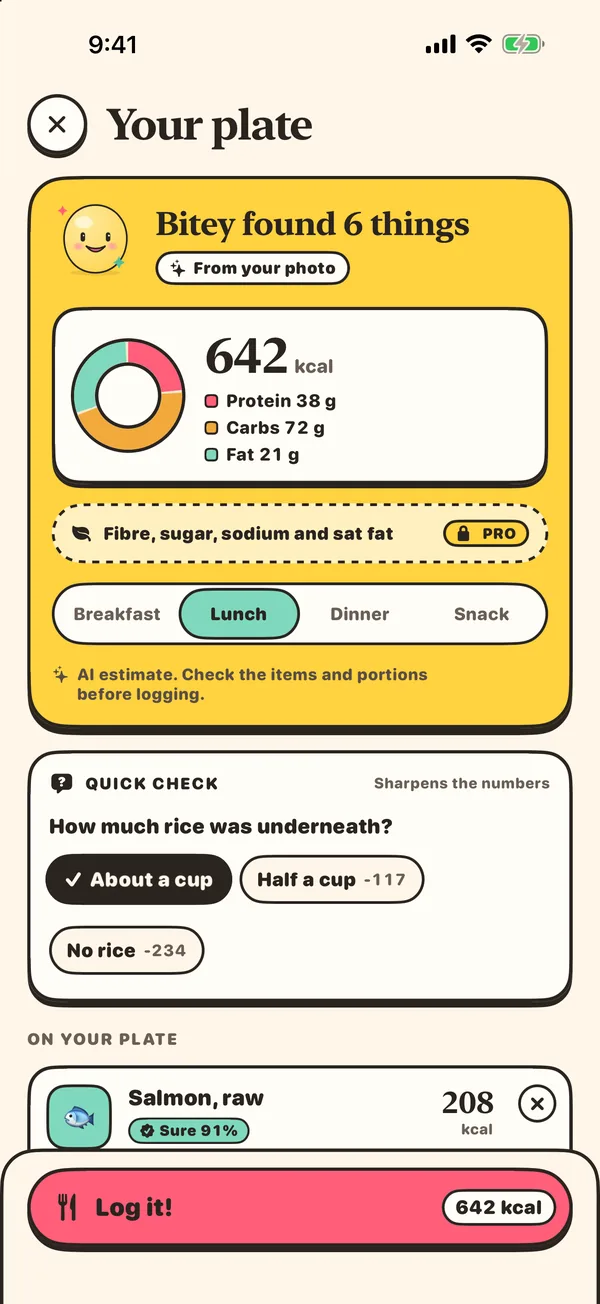
Both apps log a meal from a photo. They differ in what's free, how you pay, and what happens to your data. I make Bitey, so read this knowing that. I've tried to be fair, including where Cal AI is the better pick.
Updated
The short version
Pick Bitey if you want photo scanning without a trial or a card, no price testing, and an app with no ad or tracking SDKs.
Pick Cal AI if you want the cheapest yearly plan, want it on a Mac, or your iPhone can't run iOS 26.
Side by side
Green marks the better pick for that row.
| Feature | Bitey | Cal AI |
|---|---|---|
| AI photo scans on the free plan | 2 every day, no trial (the better pick) | Needs a paid plan after a 3-day trial |
| Card needed to try photo scans | No (the better pick) | Yes, the trial auto-renews |
| Yearly price | $49.99 | Often lower, around $20–30 (the better pick) |
| Monthly price | $9.99 | About $6–20, varies |
| Lifetime option | $149 once (the better pick) | No |
| Paywall prices tested on different people | No (the better pick) | Yes |
| Barcode scanning | Free | Free |
| Apple Watch app | Yes | Yes |
| Apple Health sync | Yes, two-way | Yes |
| Native iPad app | No | No |
| Mac | Not yet | Its iPhone app runs on Apple silicon Macs (the better pick) |
| Oldest iOS supported | iOS 26 | iOS 18 (the better pick) |
| Ads or tracking SDKs | None (the better pick) | App Store label lists data used to track you |
| Owner | One indie developer in Vancouver | MyFitnessPal, since March 2026 |
Cal AI details come from its App Store listing and public reporting as of November 1, 2026. Prices are in US dollars. Cal AI tests different paywall prices, so what you see may differ. Spot something out of date? Email support@heybitey.com and I'll fix it.
What's actually free
This is the biggest difference. Cal AI is free to download, and manual logging and barcode scanning are free, but the photo scanner, the reason most people install it, needs a paid plan once the 3-day trial ends. The trial asks for a payment method and renews automatically unless you cancel.
Bitey's free plan includes 2 AI photo scans every day, for as long as you use it, plus unlimited manual and barcode logging, water and weight, streaks, the Apple Watch app, widgets and Apple Health sync. No trial and no card. If two scans a day is enough, you never have to pay.
Pricing, honestly
If you already know you want unlimited photo scans and only care about the lowest yearly price, Cal AI usually wins. Bitey Pro is $49.99 a year, $9.99 a month, or $149 once for lifetime access (US prices). Bitey doesn't test different prices on different people, and every purchase goes through Apple, so you cancel in iPhone Settings like any other subscription.
For context: in April 2026, Apple briefly removed Cal AI from the App Store, citing an in-app purchase bypass and deceptive billing design. Cal AI fixed the issues and came back.
Privacy
Bitey has no ad networks, no third-party analytics and no tracking libraries. Bitey never stores your food photos: its AI providers delete them within 30 days and never train on them. You can delete your account and every log from inside the app. The privacy policy lists every company that touches your data and why.
Cal AI's App Store privacy label lists identifiers and usage data as "Data Used to Track You", which means it can be linked with data from other companies' apps and websites. That's common for apps that buy a lot of ads, but it's a real difference.
Where Cal AI is the better choice
- Lowest yearly price. If you'll pay either way, Cal AI's yearly plan usually costs less.
- Macs and older iPhones. Cal AI runs on Apple silicon Macs and needs only iOS 18. Bitey needs iOS 26 and runs on iPhone and Apple Watch only for now.
- Size. Cal AI has hundreds of thousands of ratings and MyFitnessPal behind it. Bitey is one person. You get a real reply from the developer, but a smaller team.
Common questions
Is Bitey's photo scanning accurate?
On common foods it's close, and you check every item before it's logged. Mixed plates and odd angles can need a tap to adjust, and when Bitey isn't sure about a portion, it asks one quick question instead of guessing.
Are 2 free scans a day enough?
It depends on how you eat. Use the scans on the meals that are hardest to describe, and log the rest by barcode, by typing what you ate, or by telling Siri. Those are unlimited on the free plan. If you want to scan everything, Bitey Pro removes the limit.
How do I cancel my Cal AI trial?
If you subscribed through the App Store, cancel it like any subscription: on your iPhone, open Settings, tap your name, then Subscriptions, choose Cal AI and tap Cancel Subscription. Do it before the trial ends to avoid the first charge.
Is Cal AI free?
Partly. Manual logging and barcode scanning are free. Photo scanning needs a paid plan after a 3-day trial, and the trial asks for a payment method up front.
Is Bitey cheaper than Cal AI?
Not always. Cal AI's yearly plan is often cheaper than Bitey Pro. Bitey is cheaper if the free plan's 2 daily photo scans cover you, and it's the only one of the two with a lifetime option.
Does Bitey work on Apple Watch?
Yes. It has an Apple Watch app with complications, quick-log recents, water and weigh-ins, included on the free plan.
Can I move my data from Cal AI to Bitey?
There's no direct import. If your weight history is saved in Apple Health, Bitey can read it from there. Meal history starts fresh.
Why was Cal AI removed from the App Store?
In April 2026 Apple briefly removed it, citing an in-app purchase bypass and deceptive billing design. Cal AI fixed the issues and returned to the store.
Who owns Cal AI?
MyFitnessPal acquired Cal AI in March 2026. It still runs as its own app.
Also comparing: Bitey vs MyFitnessPal.